For AI consultants, agencies and in-house teams
Turn a few interviews into an AI plan people say yes to.
ScopeLogik runs the whole AI opportunity assessment: stakeholder interviews, AI analysis of where the hours go, solutions with real ROI, and a branded report, deck and proposal. Then it carries the work through the build, change orders, invoices and the retainer.
14 days, every feature, no card needed.
- ≈ 1 min
- from transcript to mapped tasks
- 1 link
- for everything the client sees
- 0
- passwords stored, ever
- 5
- stages from first call to retainer
Assessments are where AI work is won, and where it stalls.
Notes everywhere
Call recordings, docs and spreadsheets that never quite add up to a picture of how the work really gets done.
ROI by gut feel
“This should save a lot of time” doesn't get a budget approved. Hours, dollars and payback do.
A week to write it up
The report, the deck and the proposal are rebuilt by hand for every client, while the momentum fades.
Then the build drifts
Scope creep, access shared over email, and invoices chased one by one once the work starts.
How it works
One method, from the first call to the monthly retainer.
- 1
First contact
Record the discovery call: what the client wants looked at and who to interview. Send the offer, or the invoice if they said yes on the call, and hand it to whoever runs the assessment.
- 2
Assessment
Interview each stakeholder, or drop in the Fathom or Zoom transcript. AI maps each task step by step, with volumes, times and pain points.
- 3
Proposal
Approve the solutions worth building. ROI, payback, a roadmap and good/better/best options are calculated for you.
- 4
Build
A build guide per solution (tools, architecture, steps), n8n workflows or agent kits drafted for you, a kickoff checklist the client ticks off, and change orders approved online.
- 5
Review & retain
Measure the real savings against the projections, then keep the client on a retainer billed automatically.
Discovery
Every task mapped, every hour counted
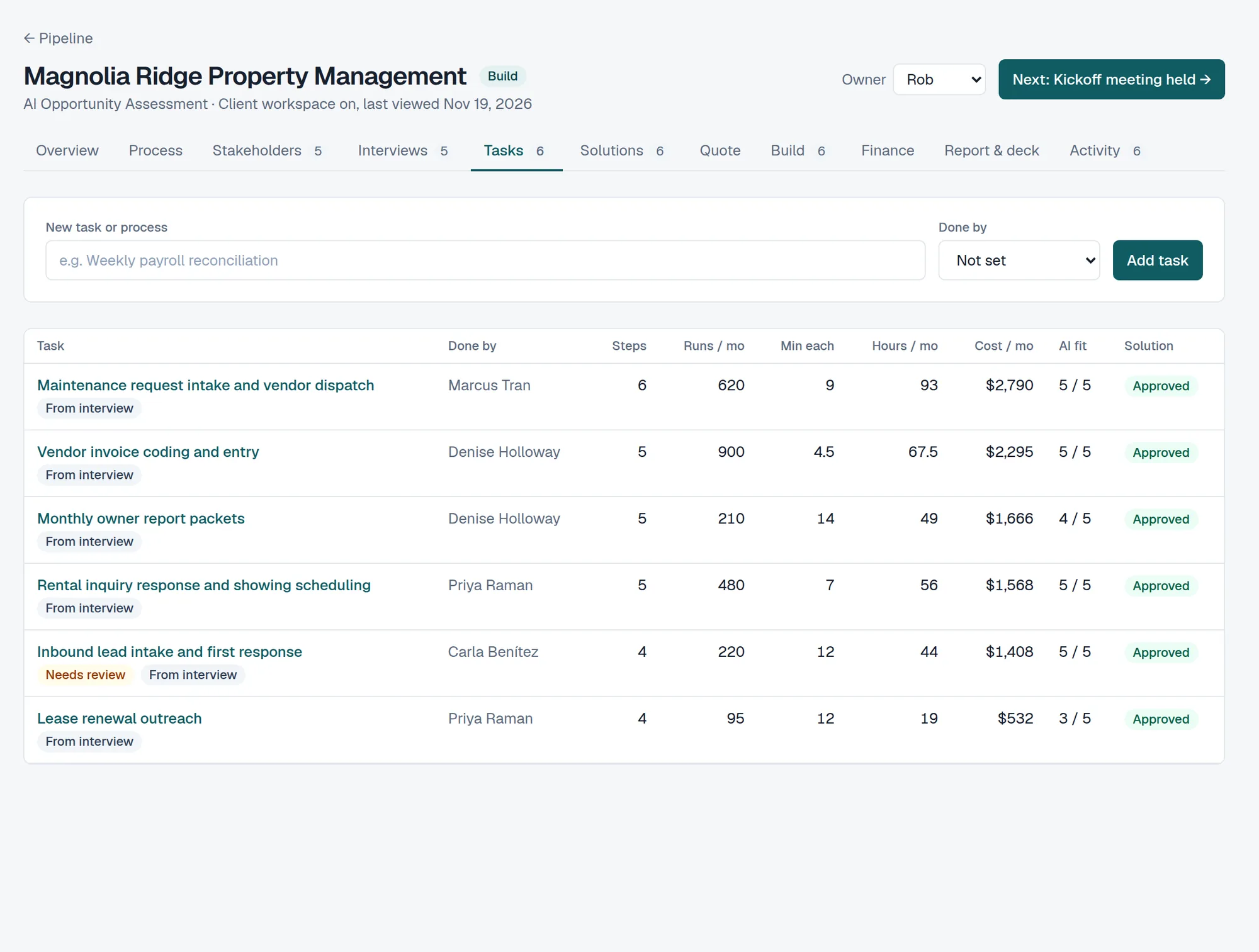
Interview transcripts become step-by-step task maps: who does it, how often, how long, and where it hurts. Labour cost is worked out from your rates, so the size of the prize is clear before you propose anything.
- Interview guides and a stakeholder portal for written answers
- Auto-import from Fathom, Zoom and other recorders
- Follow-up questions drafted from the gaps
- What they asked you to look into, next to what you found
Solutions & ROI
Recommendations with numbers a CFO accepts
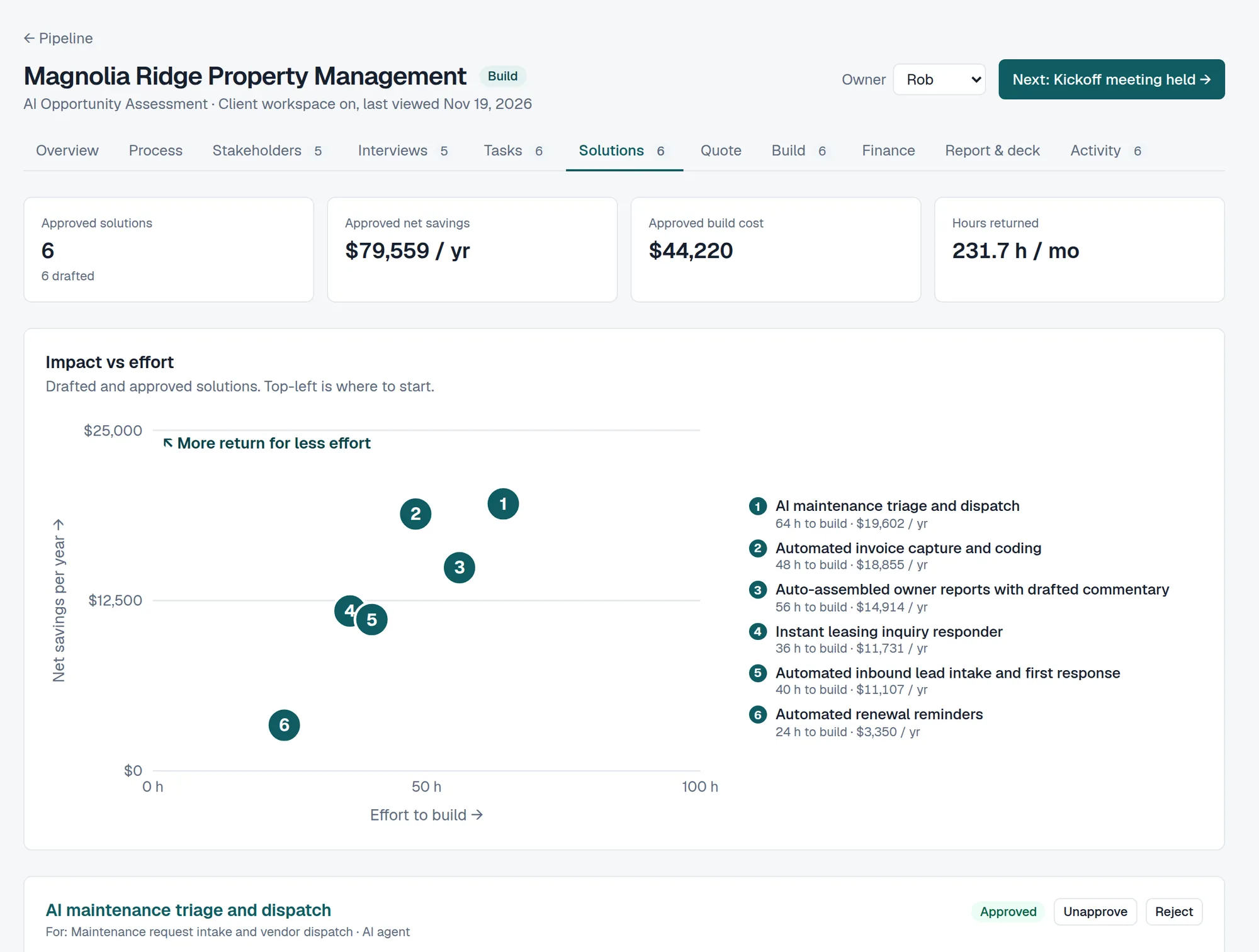
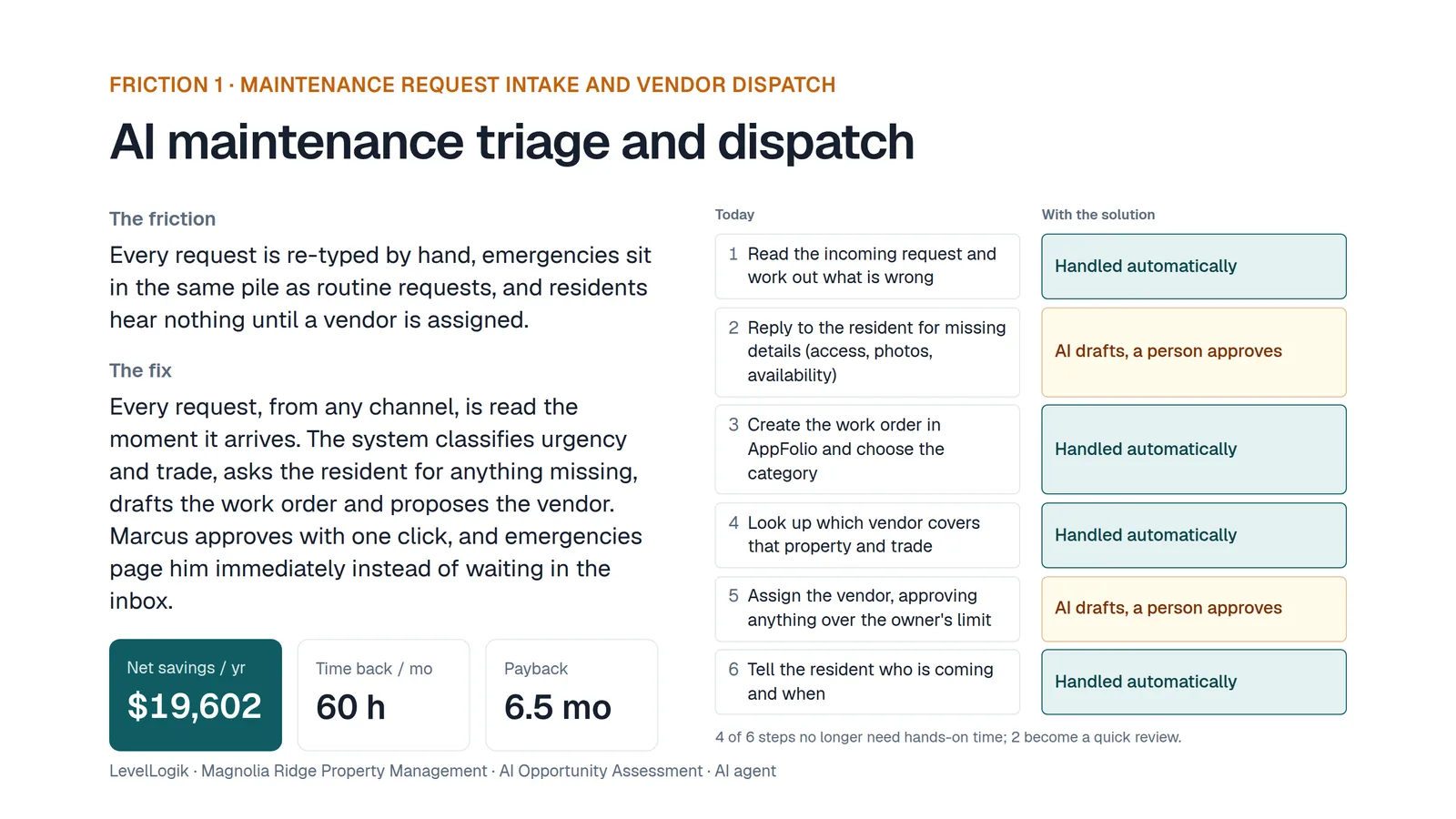
Each solution shows what changes, what it costs to build and run, the hours it gives back and the payback, with a conservative range. Impact against effort tells you what to build first.
- Net savings after running costs, with a low-high range
- Before and after flowcharts of the work
- Impact vs effort chart and a phased roadmap
- Only approved solutions reach the client
Deliverables
A report, a deck and a proposal, already written
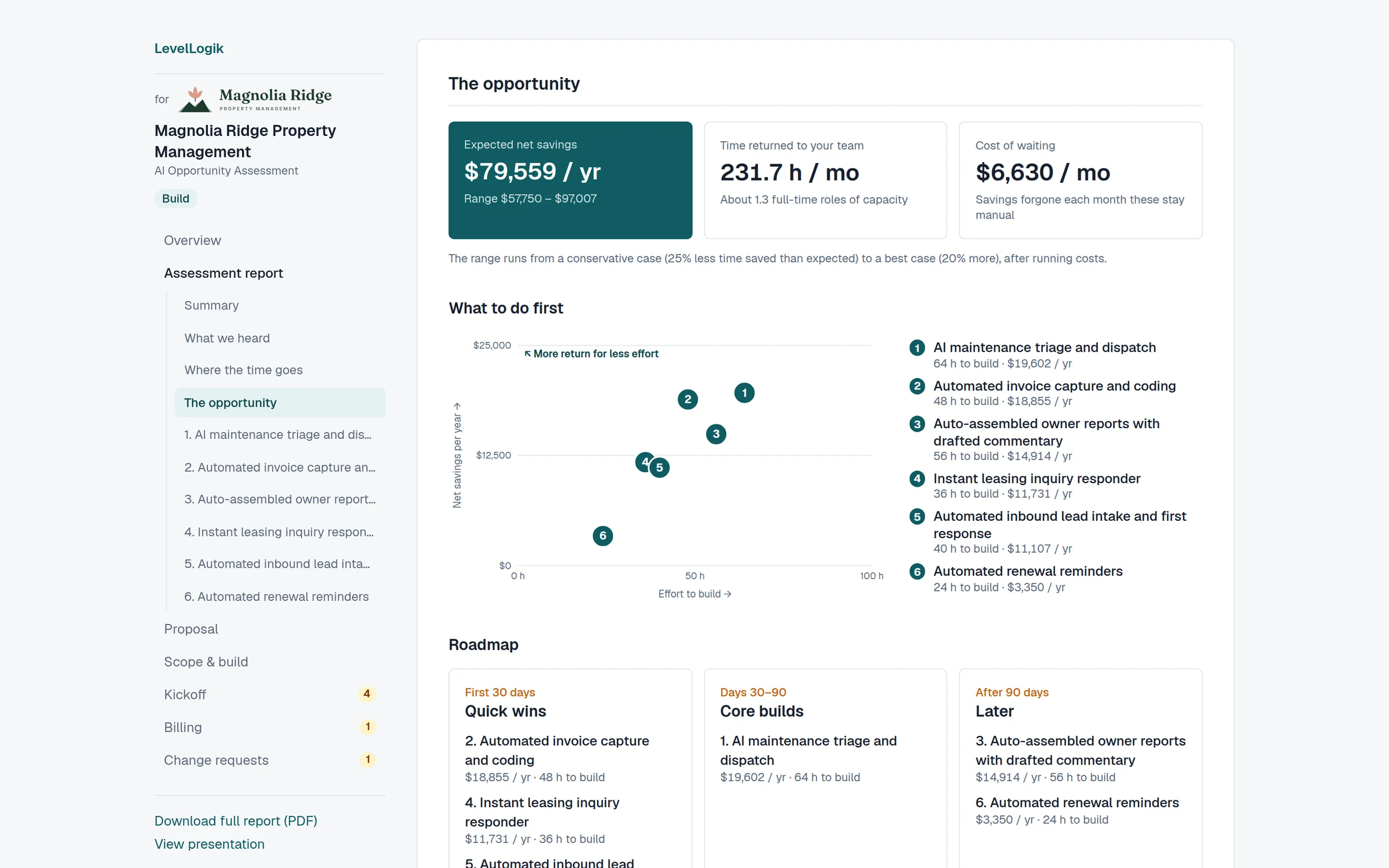
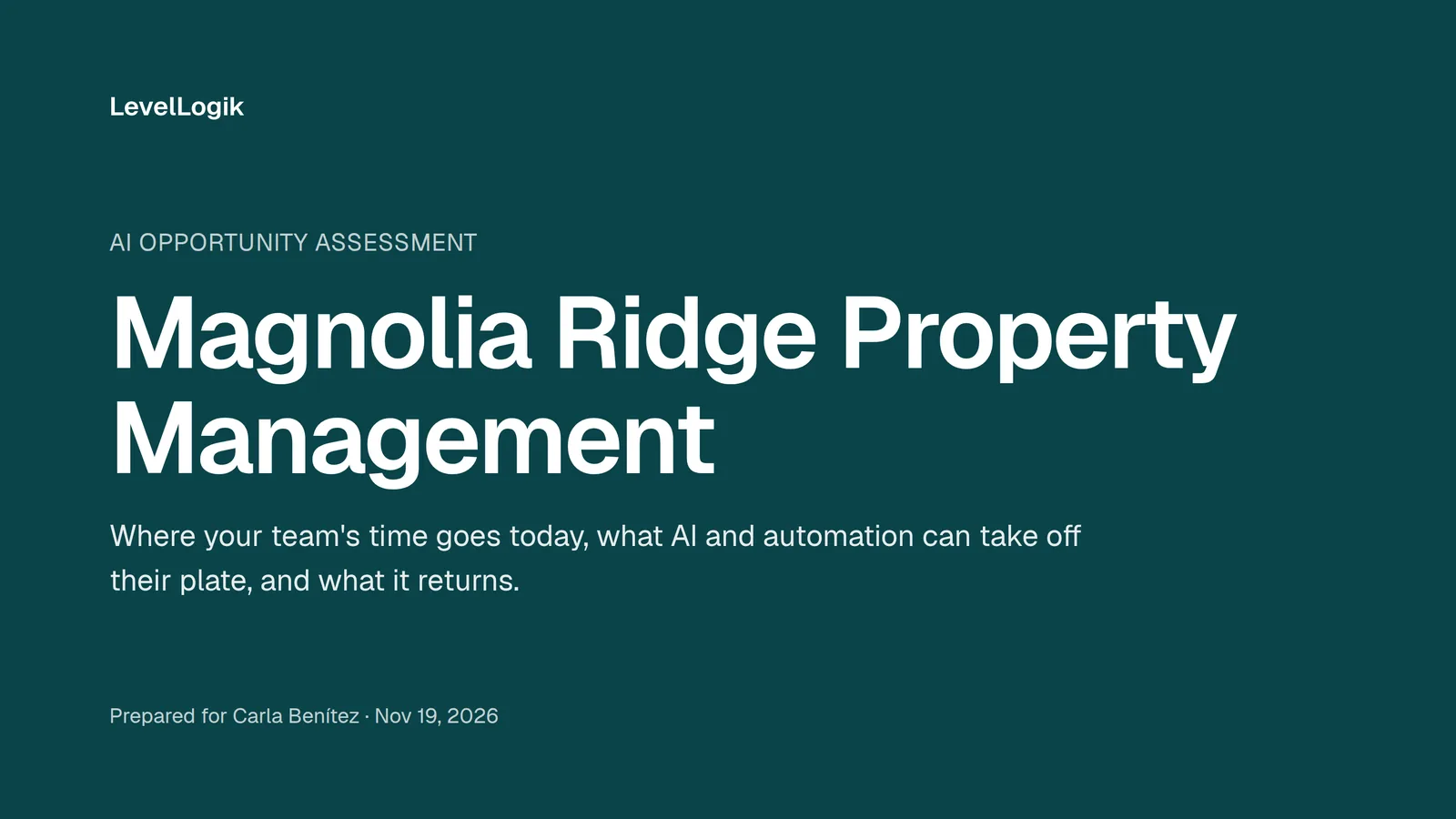
One click gives you a printable report with a proper cover, a presentation for the readout meeting, and a proposal with options the client can accept online. All in your brand, with their logo beside yours.
- Good / better / best options with the recommended one marked
- Executive summary drafted from your findings
- Save as PDF, present full screen, or share a link
Client workspace
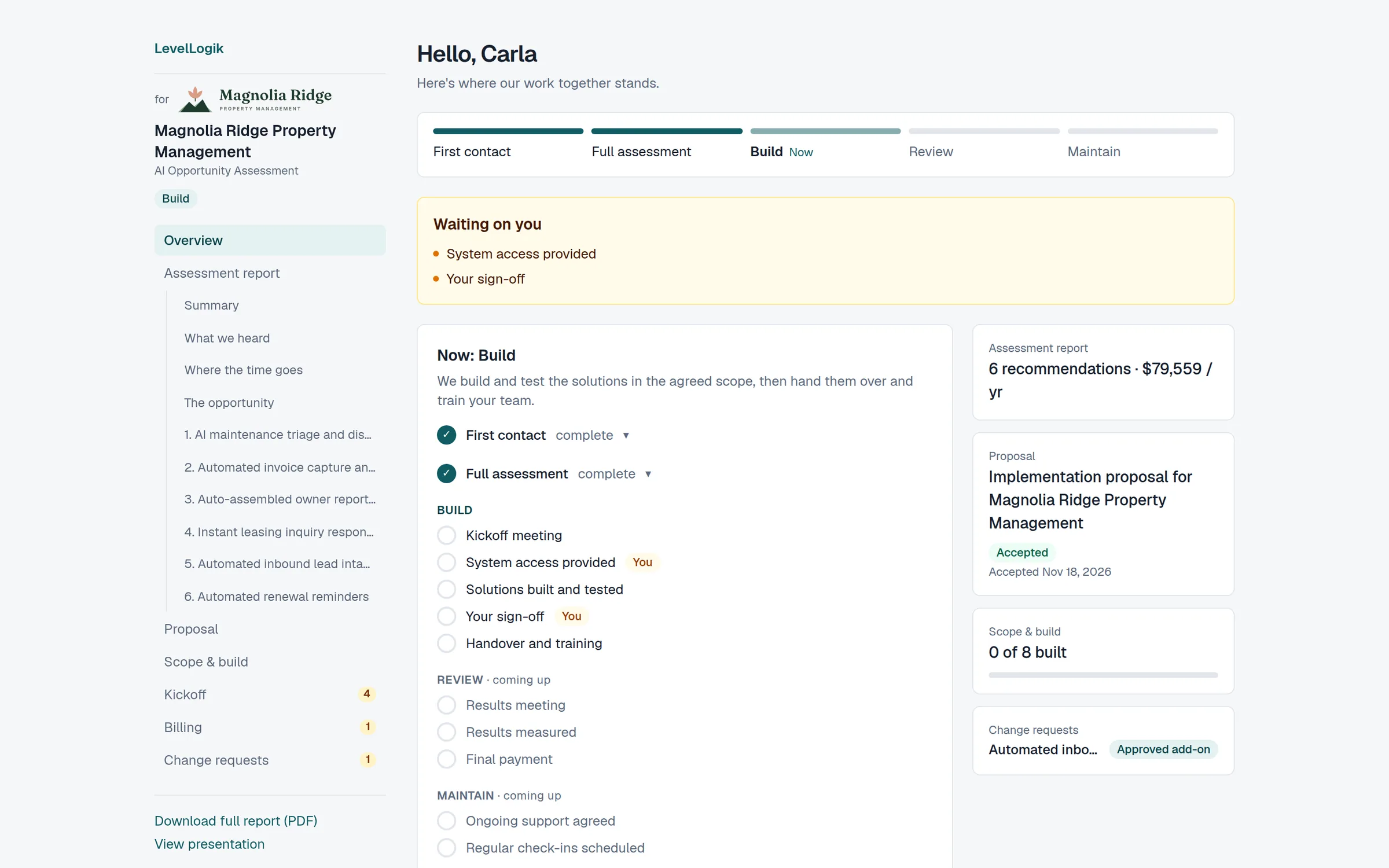
One private link for everything the client needs
No logins for the client. Their workspace shows where things stand, the report in short sections, the proposal to accept, what's in scope and what's built, change requests, kickoff tasks and invoices.
- “Waiting on you” items, so nothing stalls on their side
- Change requests priced and approved in the workspace
- Measured results once the work is live
Build & handover
From recommendation to working build
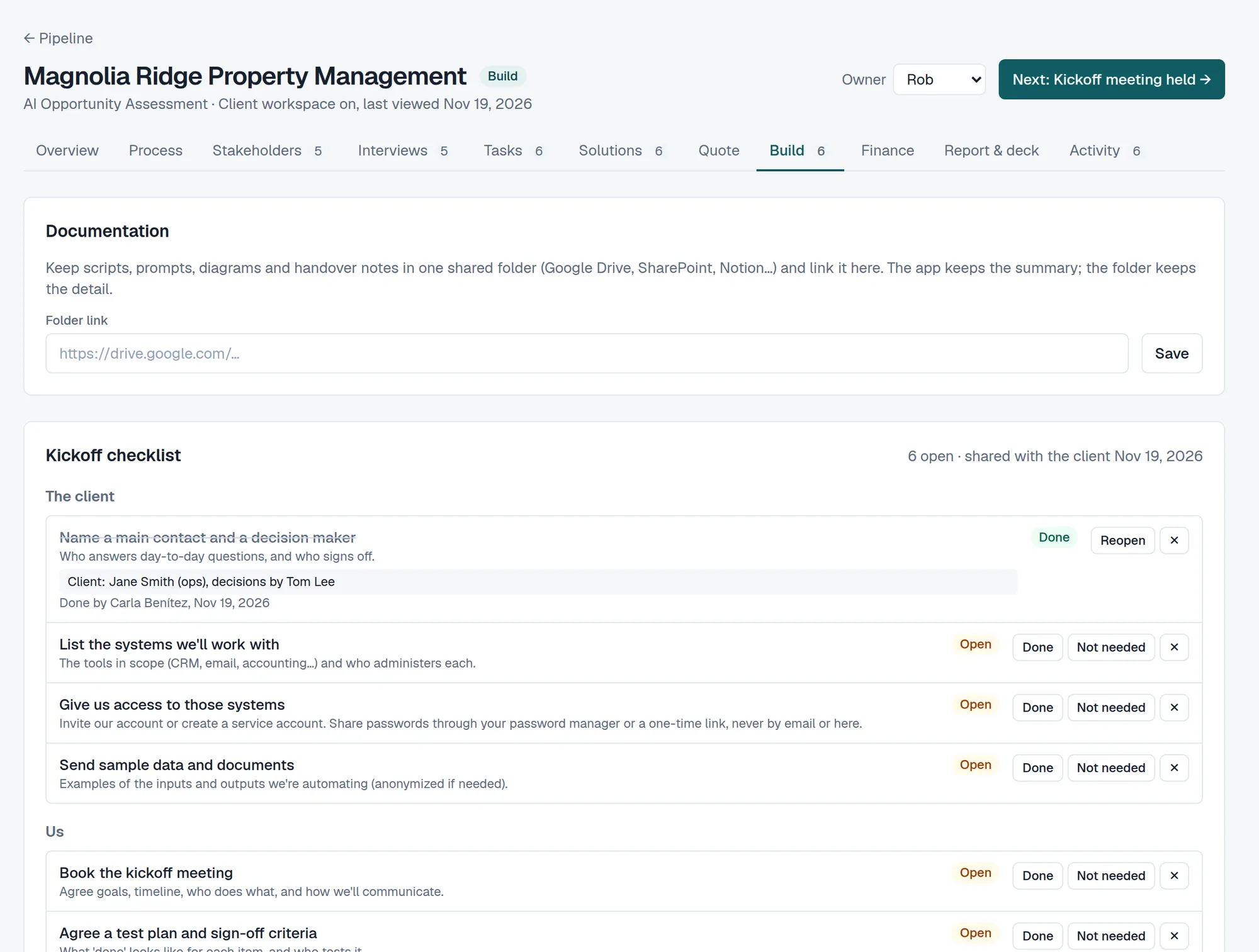
Each solution gets its own workspace: a build guide with the recommended tools (your team's favourites first), how they connect and the steps, notes, and questions sent straight to the client's people. Building in n8n? It drafts the workflow to import, or the agent's prompt, skills and knowledge files.
- Build steps ticked off as you go, with progress on the pipeline
- Technical documentation for the client, with backup and recovery
- An access register that never stores a password or key
Billing
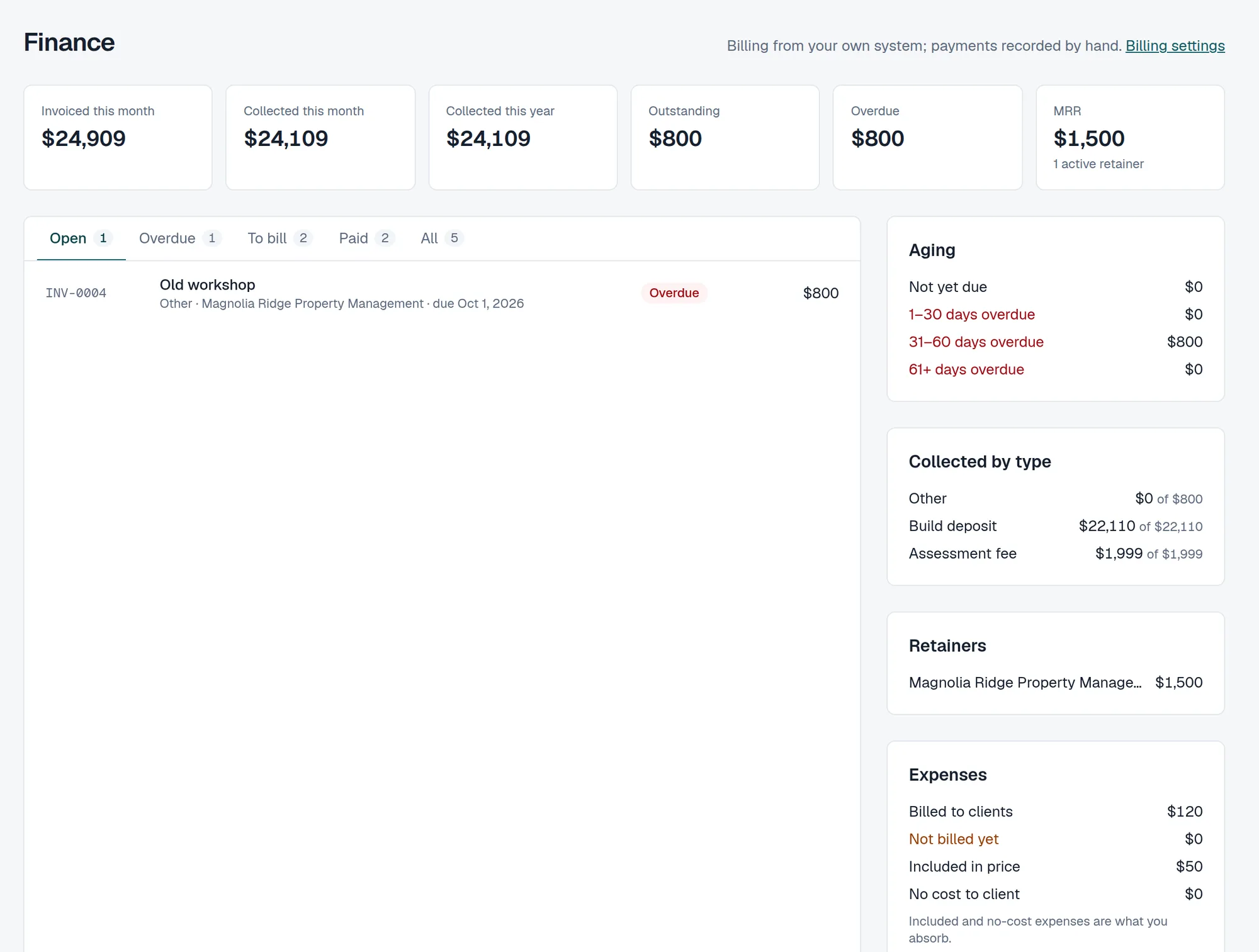
Know what's billed, paid and due
Assessment fees, deposits, final invoices with change orders, retainers and billable expenses. Clients pay by bank transfer or card through your own Stripe, or you bill from your own system and just track it here.
- Invoices, partial payments and overdue reminders
- Retainers charged monthly, card or ACH
- MRR, aging and collected by type on one page
Who it's for
Built for whoever has to find where AI pays off, and prove it.
Independent AI consultants
Look like a firm from day one. A repeatable assessment you can sell at a fixed price, delivered in days, that leads straight into the build.
Consultancies & agencies
Every consultant runs the same method. Pipeline, owners and stages across dozens of engagements, under your brand, with white label on Agency.
In-house ops & transformation teams
Find where AI pays off across departments before you spend on tools. Each department is an engagement with its own findings, business case and results.
Pricing
Priced per firm, not per assessment.
Start with a 14-day free trial of every feature. Extra seats are $25 a month on any plan.
Starter
A solo consultant.
$49 / month
Start free trial- 1 seat included
- 10 open engagements
- 5 assessments a month
Includes
- Your logo and colours everywhere clients look
- Invoices, payments, expenses and the Finance page
- Build guides, kickoff checklist, access register and client tech docs
- Client workspace, report, deck and proposal
- Change requests and change orders
- AI interview analysis and drafting
- Client payments through your own Stripe
Pro
A small team running several engagements a week.
$149 / month
Start free trial- 5 seats included
- 50 open engagements
- 20 assessments a month
Everything in Starter, plus
- Client co-branding (the client's logo next to yours)
- Recurring retainers charged automatically (card or ACH)
- Automatic stakeholder reminders
- Integrations: webhooks and Slack
- Interview recorder auto-import (Fathom, Zoom…)
- Email from your own domain
- Hide the “Powered by” line on client pages and emails
Agency
5–25 new clients a week, fully white-labelled.
$399 / month
Start free trial- 15 seats included
- Unlimited open engagements
- 75 assessments a month
Everything in Pro, plus
- Extra assessments when you need them (top-ups)
- Your own Resend account
- White label: your logo in the app instead of ours
- Priority support
- Custom domain for the client workspace (coming soon)
An assessment is one engagement worked on with AI in a month (up to 10 interviews): interview analysis, solutions, summary and proposal. Agency can add extra assessments, from $49 for 5. Prices in USD.
Questions
Anything else? Get in touch with LevelLogik.
Do my clients need an account?
No. Each client gets a private link to their workspace, and each stakeholder gets their own link to answer questions. Only your team signs in.
Which AI does it use, and is our data used for training?
Interview analysis and drafting run on Anthropic's Claude through its API, which isn't used to train models. You always review and edit what it drafts; nothing reaches the client until you share it.
Can I use my own branding?
Yes: your logo, icon and colours appear on everything clients see, including the report, deck, workspace and emails. Pro adds email from your own domain and the client's logo beside yours; Agency removes the “Powered by” line entirely.
Do I have to take payments through it?
No. Connect your own Stripe to let clients pay online by bank transfer or card, or keep billing from QuickBooks, Xero or anything else and record payments here.
Does it help with building the solutions too?
Yes. Each solution gets a build guide (tools, architecture, step-by-step instructions) you edit as you go. If you build in n8n, it drafts an importable workflow, or for an n8n Agent the prompt, settings and knowledge files. You still do the build; it does the planning and the paperwork.
We're an internal team, not consultants. Does it fit?
Yes. Treat each department or process area as an engagement: the same interviews, task maps and ROI, with the report going to your leadership instead of a client. Billing is simply optional.
What happens when the trial ends?
You keep everything you've made. Starting new engagements, inviting people and AI drafting pause until you choose a plan. You can export or delete all your data at any time.
Run your next assessment in ScopeLogik.
Set up in minutes. Your first client could be looking at their workspace this week.